A university aims to develop a mobile app to enhance student engagement and streamline academic planning. The app will provide access to key information such as timetables, announcements, exam schedules, and assignment deadlines. It will also enable students to interact with professors and classmates, fostering collaboration. Additionally, the app will serve as a central hub for academic resources, allowing students to download course materials, access lecture recordings, and stay connected with university-related activities.
About the App
The app displays timetables, assignments, and exam dates, while also offering a chat feature for students. It provides easy access to course materials and important notifications.
After logging in, users land on the home screen, where they can quickly view today’s lectures, upcoming assignments, and quizzes. The home screen features three main call-to-action buttons:
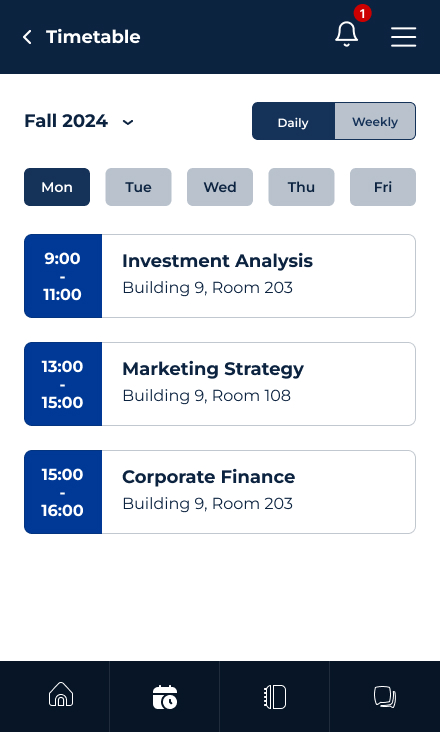
Timetable: view the timetable in both calendar and list views.
Assignments: check assignment details and their statuses.
Courses: see a list of enrolled courses with the course material and grades.
When a user selects a course, they will see three tabs:
Course Material: organized by weeks, where students can download or view resources.
Course Details: includes course information and a chat feature for communication with the instructor, the whole class, or specific classmates. Chats are organized by course name for easier navigation.
Grades: view a breakdown of quiz, assignment, and exam grades, along with the overall grade.
Users will also receive notifications from instructors about important announcements.
Prototype
Updated Prototype
After a couple of design iterations, the following major updates were made:
On the timetable screen, the display has been changed to daily/weekly views for better clarity.
Assignments are color-coded to easily indicate their status.
On the course screen, all tabs are now visible.
Notifications are categorized for easier navigation.